

Research shows that a whopping 51% of sole traders with business expenses don’t claim all the tax deductions they’re entitled to. That’s an average of $3,034 in unclaimed deductions per financial year – which is straight up mind-blowing.
So we’re pretty excited to announce the launch of the Hnry Business Mastercard – a neat little tool to help capture and claim every business expense, and get you that sweet, sweet tax relief as you go.
The Hnry Business Mastercard can be used like a normal Mastercard, but it’s directly connected to your Hnry Account. Every time you use your card to purchase a business expense, a new expense is raised under the “Expenses” tab. Once you upload your purchase receipt and add a few details, the expense will be managed and claimed.
Easy as!
Best of all, the Hnry Business Mastercard is included as part of the 1% +GST Hnry fee (capped at $1,500 +GST a year) – no sign-up costs, no extra bank fees.
With the Hnry Business Mastercard, it’s now easier than ever to keep track of and claim business expenses. Never miss an expense claim again!
💡 The Hnry Business Mastercard used to be the Hnry Debit Card, powered by Visa. If you previously had a Hnry Debit Card, you’ll need to upgrade to a Hnry Business Mastercard to continue using the service.
Why use a Hnry Business Mastercard?
Great question! You know how when you make a business purchase, you have to keep the receipt? For seven years (as required by Inland Revenue)?
And then at the end of the financial year, you have to dig out all these receipts again and figure out what you’re claiming, when you bought it, and for how much? And add all these details to your tax return? Before calculating the final amount of tax you owe?
Yeah, not fun. Enter the Hnry Business Mastercard.
With the Hnry Business Mastercard:
- All your business transactions will be recorded in one place
- Expense claims are raised automatically with each purchase, ready for you to upload the receipt and add a few last details
- You can then forget about that receipt – we store it for you for the required seven years. No receipt-box-of-sadness necessary.
- All your raised expenses get managed for you by the brilliant and devastatingly attractive Hnry team. We’ll file it all with your tax return, and you’ll get the tax relief in real time.
If you’re already an avid Hnry User who doesn’t have to worry about doing their own taxes, a Hnry Business Mastercard still makes it easier to get all the tax deductions you’re eligible for.
It’s like becoming a Pokémon master – gotta claim ‘em all!
💡 If it’s getting close to the end of the financial year, you can still sign up for and use your Hnry Business Mastercard at any point. Just remember to add photos of your receipts to expenses raised in the app, and we will manage them like any other expense!
How the Hnry Business Mastercard works
The Hnry Business Mastercard is currently a virtual card only. You can use your Hnry Business Mastercard details to shop online, or add it to Apple Wallet or Google Wallet to make in-store payments.
To get started, you’ll need to:
- Activate/Upgrade your Hnry Business Mastercard
- Add your card to Apple Wallet or Google Wallet
- Add funds to your Hnry Business Mastercard (via your Hnry Account)
💡 To help keep your account secure, the Hnry team can’t access your card details. We’ll also never ask for them.
1. Activate/Upgrade your Hnry Business Mastercard
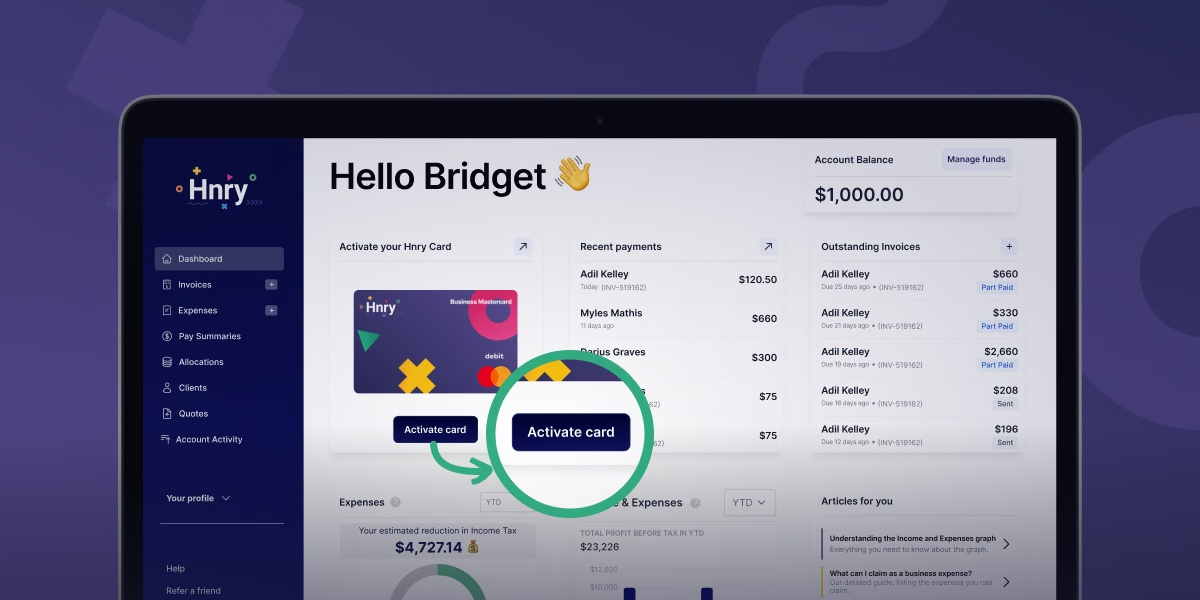
If you were previously using a Hnry Debit Card, you’ll need to upgrade to a Hnry Business Mastercard. Click “Upgrade” in the card module on your Dashboard, accept the terms and conditions, and away you go!
If it’s your first time applying, you can still do this from your Dashboard. Just click “Activate card”. Easy!
2. Add your card to Apple Wallet or Google Wallet
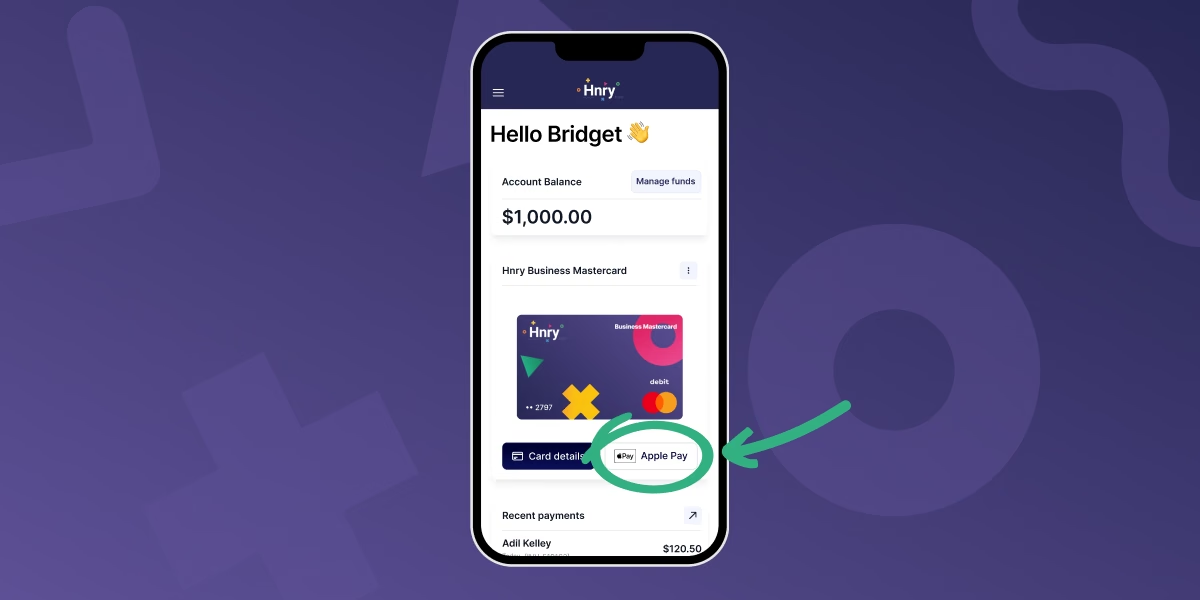
Adding your card to Apple Wallet or Google Wallet has never been easier.
In the Hnry mobile app, click the “Apple Pay” or “Google Wallet” button in the card module on your Dashboard, and follow the step-by-step instructions. It shouldn’t take more than a minute from start to finish.
3. Add funds to your card
The Hnry Business Mastercard draws funds from your Hnry Account, not your personal bank account. This means that you have to add funds to your Hnry Business Mastercard before using it to make a purchase.
Usually, every time you get paid, we automatically calculate, deduct, and pay your taxes, and pass on the rest straight to your personal bank account. But if you want to use a Hnry Business Mastercard, you’ll need to make sure that there are funds available in your Hnry Account.
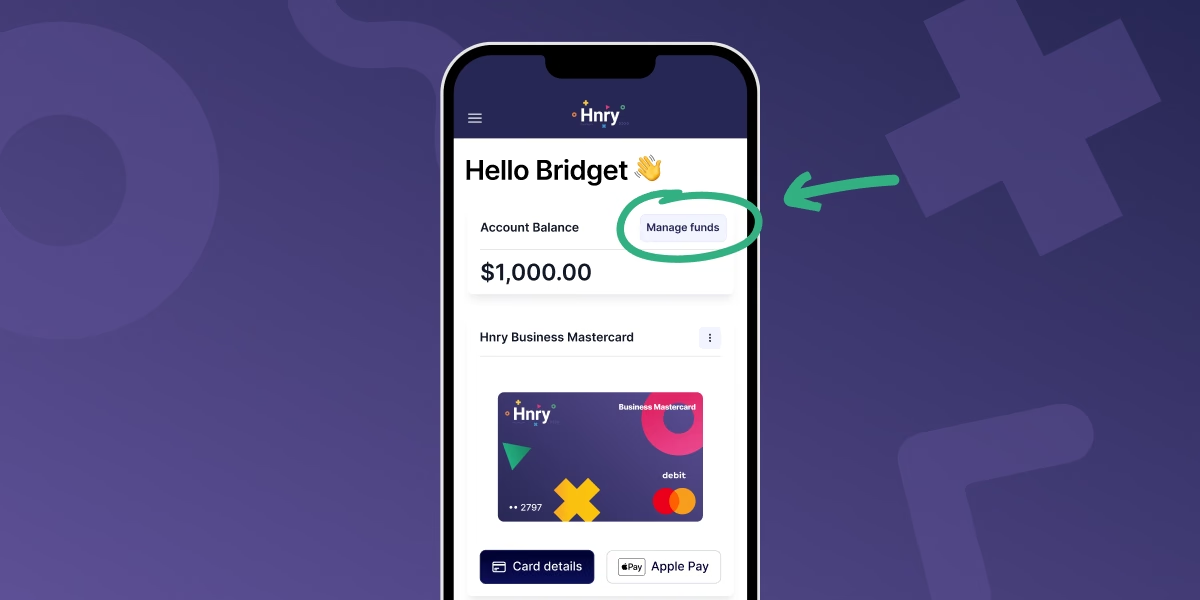
There are two main ways to do this (both accessed via the “Manage funds” button in the Account Balance module).
1. Add funds via bank transfer
To add funds by bank transfer, you’ll need to transfer funds from your personal bank account to your Hnry Account.
💡 Funds need to be transferred from the personal bank account registered to your Hnry Account. Otherwise, transferred funds may be processed as a client payment!
You’ll need to:
- Include the reference “Add funds”
- Make the payee name
- your first initial
- your last name
- and include “(via Hnry)” at the end
- Use your Hnry Account number as the bank account number
… and you’re done!
💡 Make this easier by saving these details as a payee in your banking app (including the reference, if you can). For extra points, you can set up an automatic payment so you’ll never be caught short!
2. Add funds every time you get paid
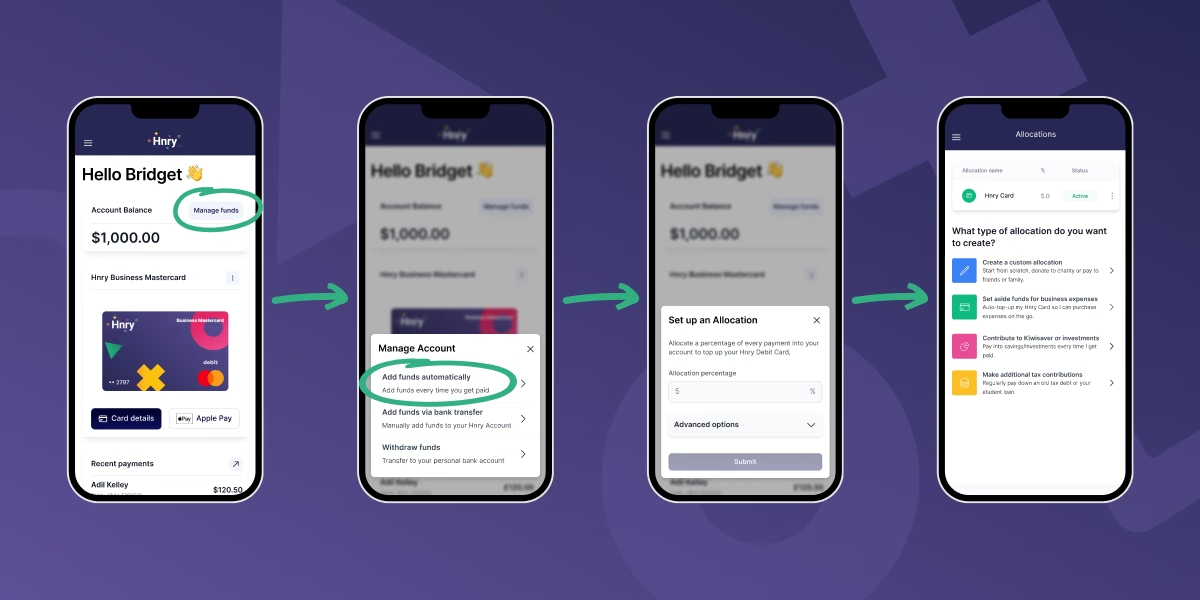
You can also add funds every time you get paid by creating an Allocation.
To create an Allocation, hit the “manage funds” button on the module. Select add funds automatically and enter the percentage of each pay you want to add.
For example, if you enter 5%, we will automatically send 5% of each pay you receive through your Hnry Account to your Hnry Business Mastercard.
Using your Hnry Business Mastercard
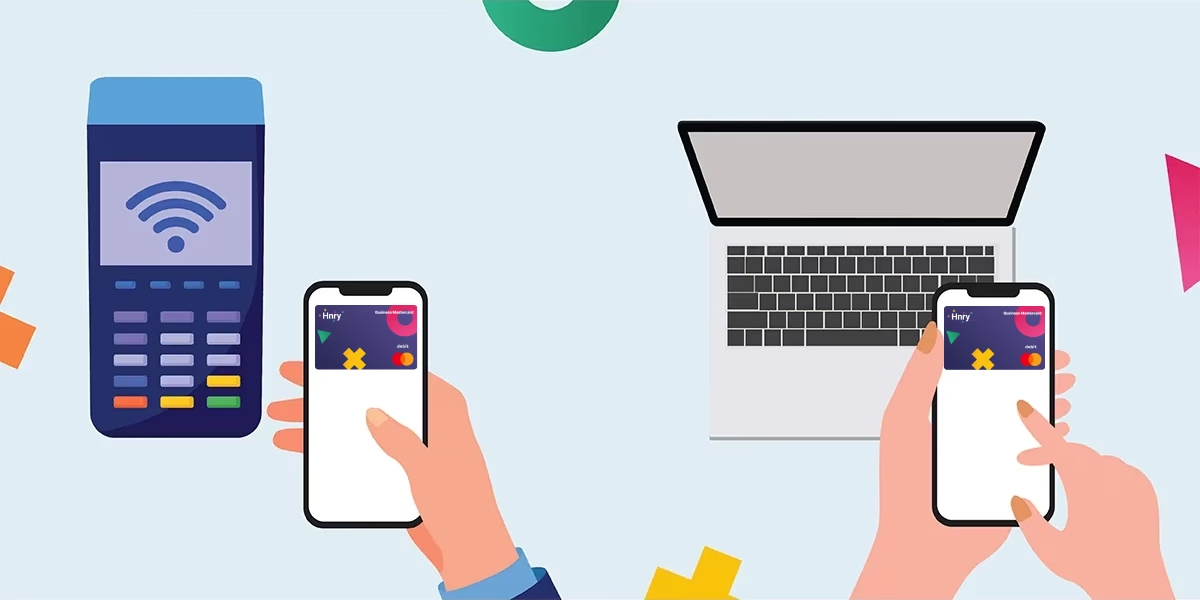
Using your Hnry Business Mastercard is as simple as tap, snap, and confirm.
Tap
When making a business purchase, use your Hnry Business Mastercard in store through your Apple Wallet or Google Wallet.
Simply tap your phone against a contactless terminal the way you would any other card, and you’re good to go!
(Or tap your card details into an online payment page – whatever floats your boat.)
Snap
Snap a quick pic of your receipt, and upload it to the new expense that’s just been raised for your purchase in the Hnry App (under the “Expenses” tab).
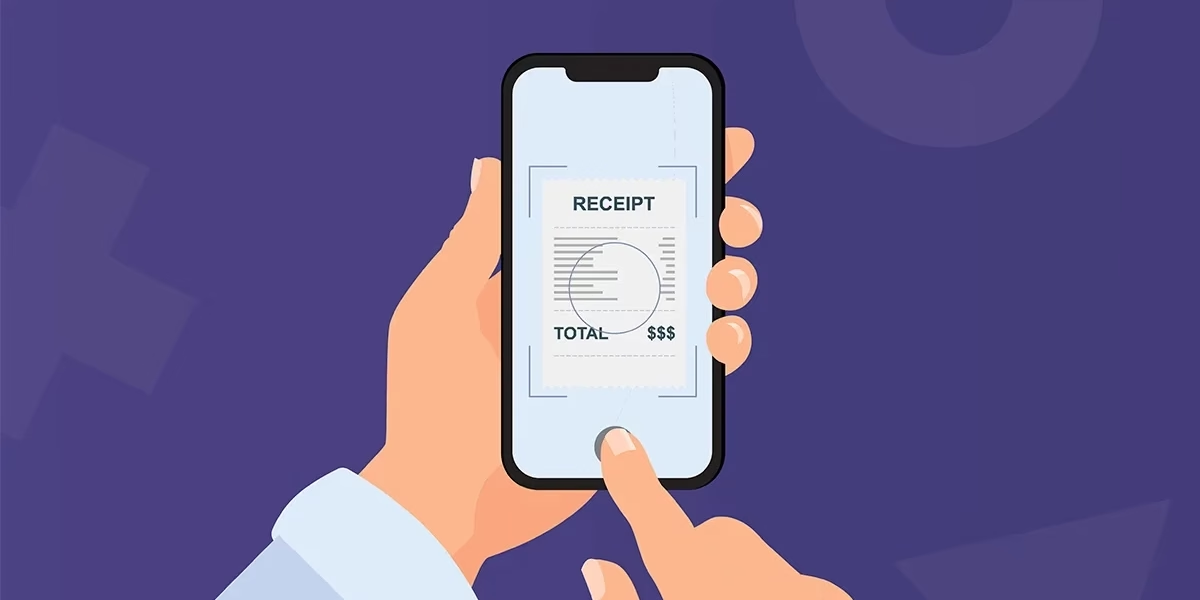
Then – and this is important – never think about that receipt again.
Confirm
Add the final few details – like the cost of the purchase, and if it’s GST inclusive – to your raised business expense, before hitting “Submit”.
That’s it. Expense submitted. We’re all done here!
Revealing your card details
If you’re shopping online and you manually need to enter your card details at checkout, no problem!
Head to the Hnry mobile app, then click “Card details” on the card module on your Dashboard. Hit “Reveal details”, et voilà! French!
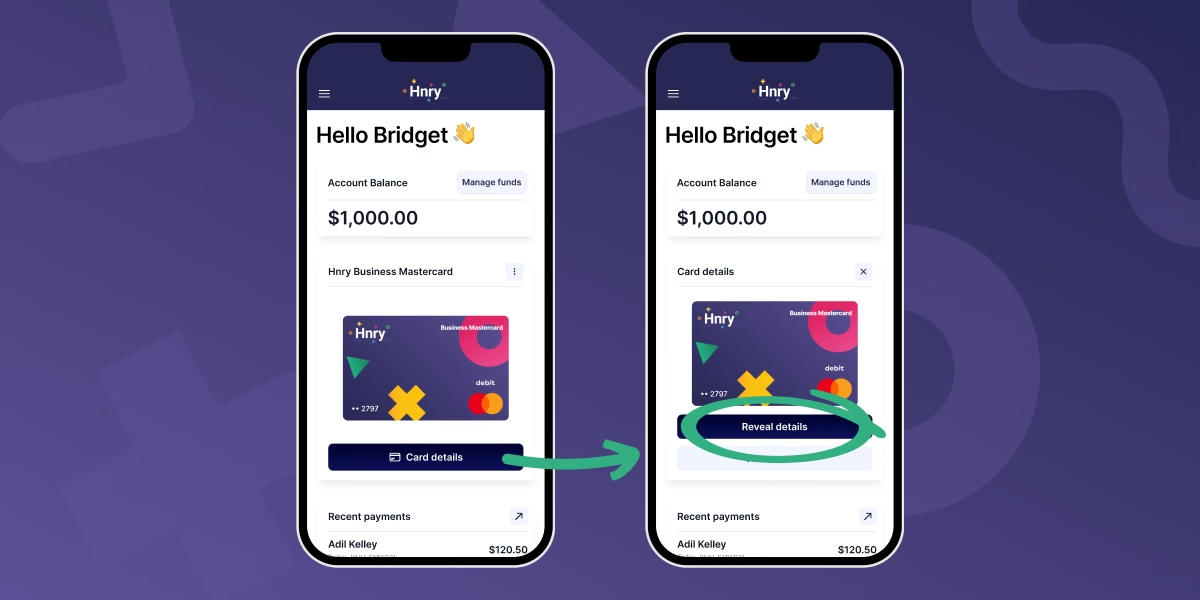
💡To stop bad actors from accessing your funds, it’s super important to keep your card details safe. Make sure no one else can see your screen when revealing your card details.
💡 For extra points, we recommend enabling biometrics or MFA to keep your Hnry Account secure. You can do this under “Settings” in the Hnry App.
Other important features
Withdraw Funds
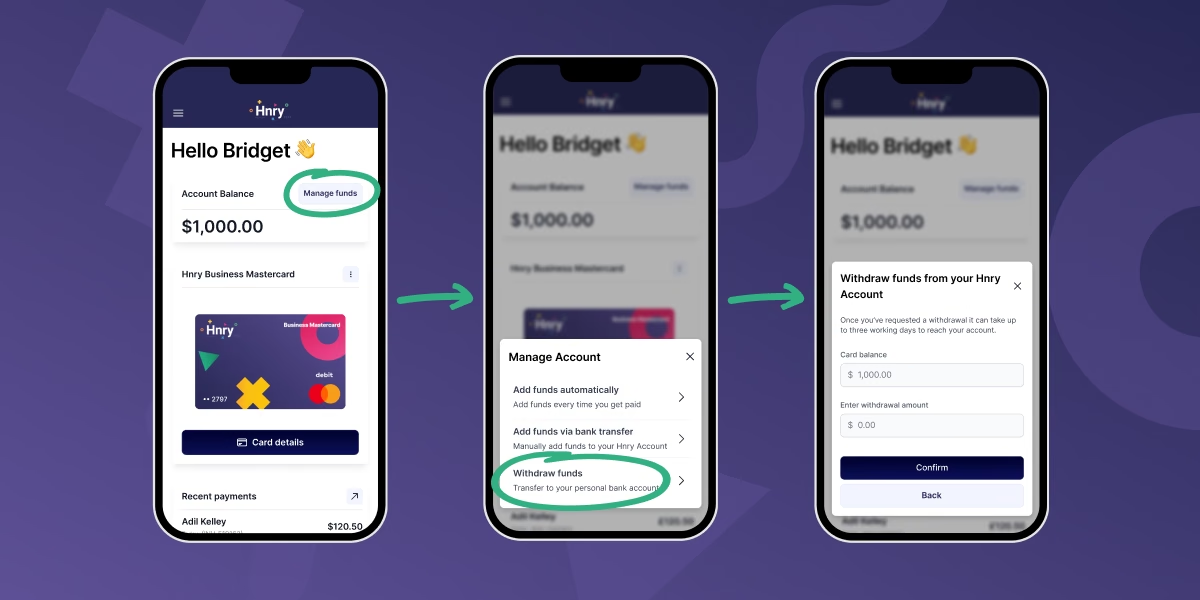
If you need to access your Hnry Business Mastercard funds, for whatever reason, you can request to “Withdraw Funds” via your Hnry Dashboard.
First, click the “Manage funds” button above your account balance (top right-hand corner).
Then select “Withdraw funds” from the options available. Enter the amount you want to withdraw, and it’ll be sent on its merry way to your personal account. Easy!
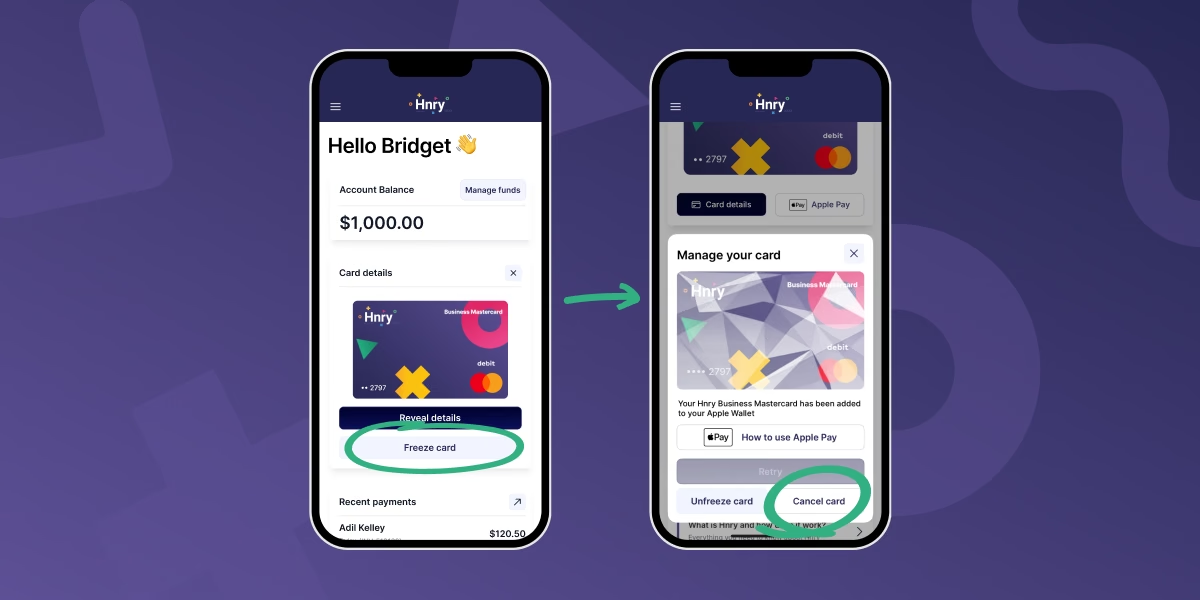
Freeze this card
If your card details are compromised, you can freeze your card to prevent it being used.
Simply click “Card details” in the Hnry Business Mastercard module, and then click “Freeze card”.
Cancel card
And if it’s really not working out for you for whatever reason, you can cancel your Hnry Business Mastercard. This option becomes available once you’ve frozen your card.
Expense claims made easy with the Hnry Business Mastercard
We’re on a mission to make sure that sole traders never leave a tax deduction unclaimed again.
That’s why we launched the Hnry Business Mastercard – to make purchasing, raising, and managing business expenses easier than ever before.
With the Hnry Business Mastercard:
- Expenses are raised as you go
- Tax relief is applied as you go – no waiting for the end of the financial year
- No more pile of receipts stashed around the place
Best of all, there are no extra subscription/bank fees.
And don’t forget – on top of keeping track of all your business expenses, we automatically calculate, deduct, and pay your:
AND file your tax and GST returns – all for 1% +GST of your self-employed income, capped at $1,500 +GST a year.
So if you’re ready to give cards a whirl…
As with everything - conditions and exceptions apply. For more info, check out our Legal Page.