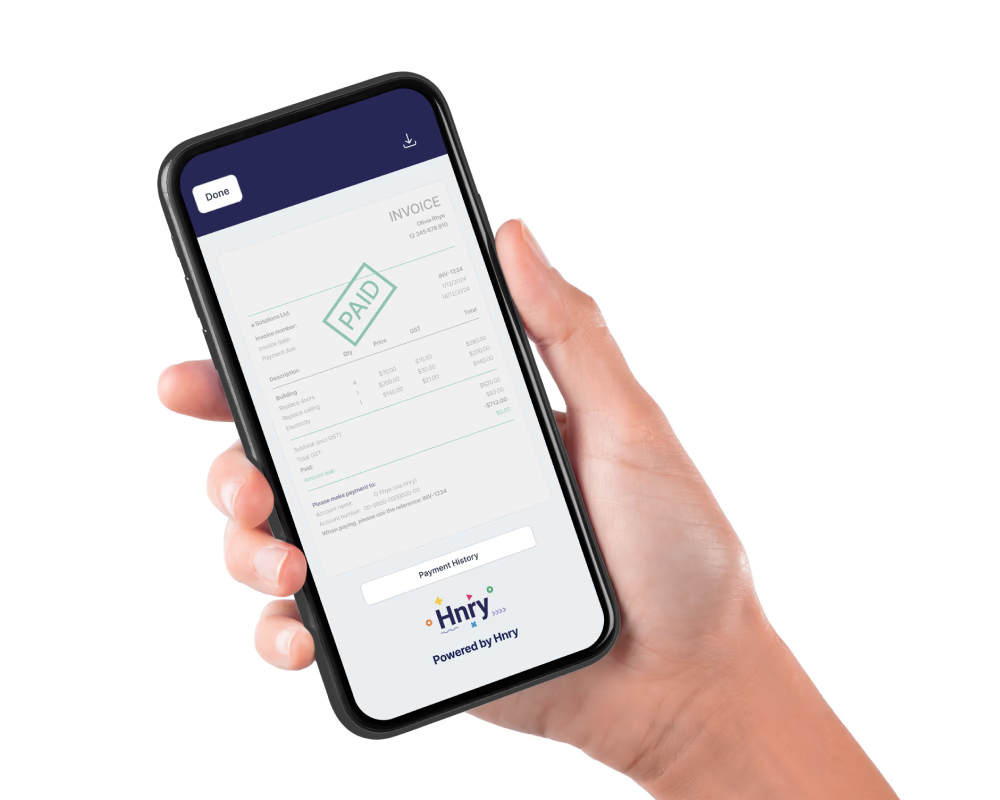
Looking for an even faster way to get paid by your clients? Introducing Scan to Pay – the new Hnry app feature that helps you get paid on the spot!
Here’s a quick overview of how it works:
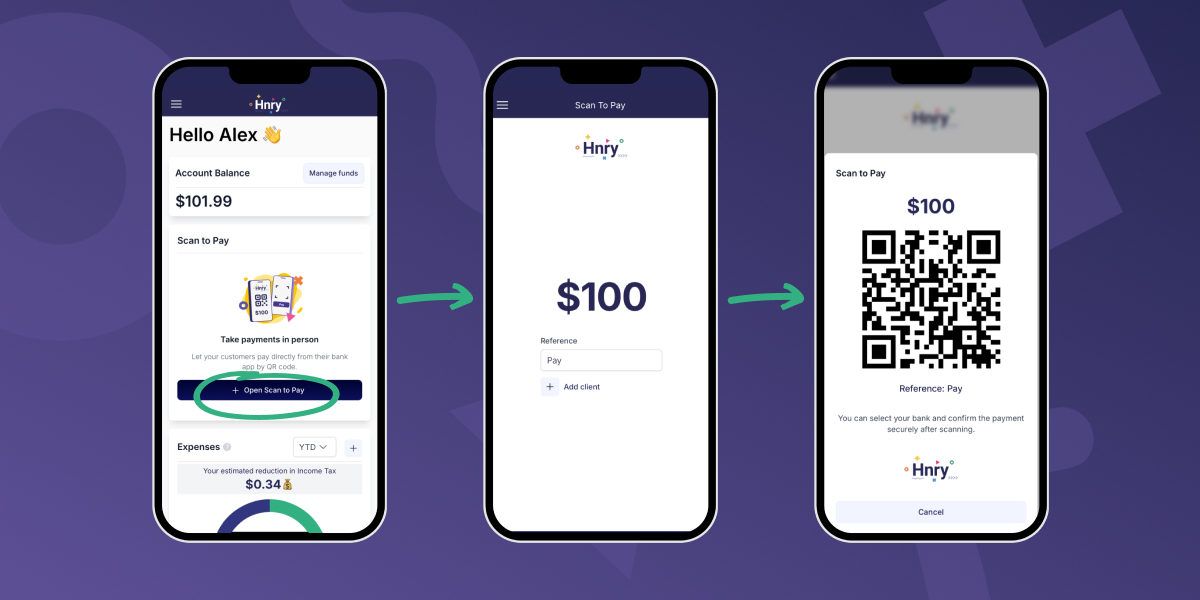
- You use Scan to Pay to generate a QR code within the Hnry app
- Your client scans the code on their own phone
- They’ll be prompted to view and approve the transaction in their own bank account
- You’ll receive the funds in your Hnry account, where the payment will be processed as per usual
That’s it! How good!
💡 Note: Scan to Pay is currently free to try, but will cost $0.35 per Pay Summary in the future.
Why use Scan to Pay?
We’ve launched Scan to Pay to help our users get paid faster!
Instead of sending clients an invoice or bank details which might get lost in the shuffle of everyday life (we’ve all been there), Scan to Pay lets Hnry users request payment on the spot. No point-of-sale hardware or bulky eftpos machine required!
Once your client has reviewed and approved the payment through their own banking app, it’ll be sent through to your Hnry Account, where it’ll be reconciled and processed like all other payments. Whoohoo!
Using Scan to Pay does require you and your client to be at the same place at the same time – it’s a brilliant option for those on-site jobs, for example:
- Tradespeople finishing up a job on-site
- Market stall owners selling goods
- Personal trainers, tutors, or anyone providing face-to-face services
- Any situation where you want to get paid on the spot
💡 If you don’t typically work in person with your clients, you can still send them a Hnry Invoice – research shows that using a Hnry Invoice gets you paid eight days faster on average!
How to use Scan to Pay
You can use the Scan to Pay feature on both your desktop and mobile Hnry app.
1. Input details
Super simple – start by opening the “Scan to Pay” module on your Hnry Dashboard. From there, input the amount you want to charge. That’s all you really need!
(If you have your client saved under “Clients” in the Hnry app, you can add their details to the payment request using the “+ Client” button. You can also add a reference in the reference field if you like, but these bits are entirely optional.)
Once you’re happy with all the details, hit “Next”. This will generate a QR code ready for your client to scan.
2. Your client scans the QR code
When your client scans the QR code, they’ll be taken to the Volley website (our payment partner), which will redirect them to their banking app.
💡 Neither Volley nor Hnry will be able to view or access your client’s bank account or banking details. Basically, Hnry passes your payment details to Volley, who passes it to your client’s bank, like a very secure game of financial telephone.
Your client will be prompted to log into their banking app as per usual. Once in, they’ll see a payment confirmation screen with all the necessary information prepopulated. Easy!
What you see
What your client sees
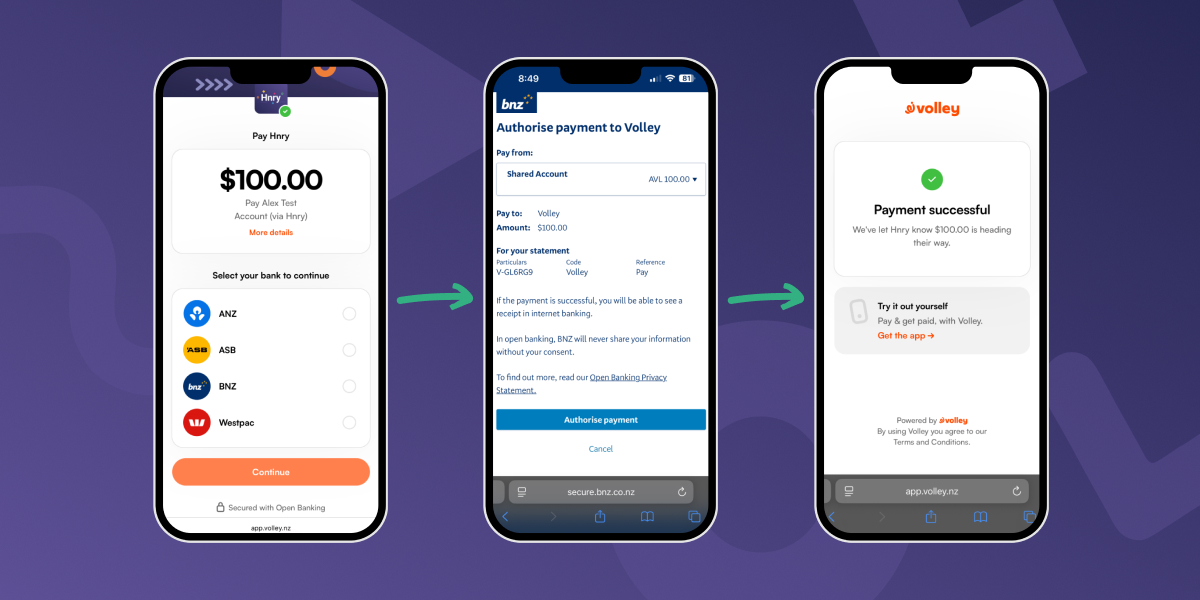
💡 An added bonus of using Scan to Pay is that there’s less chance of typos – all info is automatically generated and ready to go!
Once your client approves and sends the payment, you’re good to go. Your payment will make its way to your Hnry Account, where it’ll be processed as per usual. Taxes sorted, Allocations deducted, and the rest sent to your personal bank account for you to spend.
Payment processing times
One last thing – the way Scan to Pay works is that it facilitates a bank transfer.
With that in mind, payment timing will depend on your client’s bank, and how often they process payments. Generally, funds may arrive in your Hnry Account between 30 minutes and four hours after the payment was made. We get no say in this, unfortunately!
Once the payment hits your Hnry Account, we’ll process it immediately and forward your net earnings to your personal bank account. As this is also a bank transfer, it may take a moment to hit your account – but rest assured, it is safely on its way!
A bit about Hnry
Hi! We’re Hnry – a tax app and service designed specifically for sole traders. Our mission is to make it simple, affordable, and accessible for anyone to earn independently – and that includes making sure our users get paid as quickly as possible.
Once you do get paid, that’s where the real Hnry magic happens. We automatically calculate, deduct, and pay all your tax bits and pieces on your behalf, including:
Easy! Basically, we make it so you never think about tax again.
Sounds good? We think so! Get your tax ducks in order, and join Hnry today.